
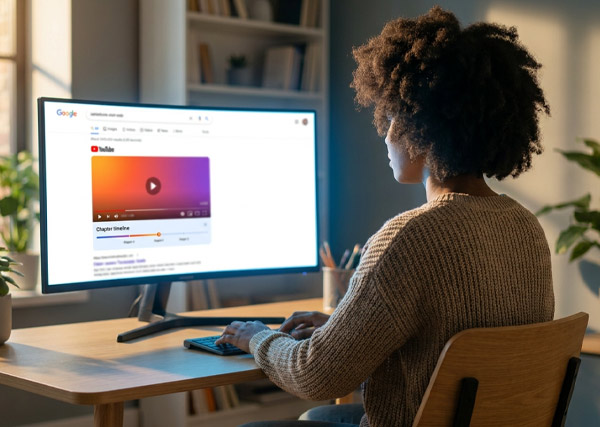
Ranking a YouTube video in Google search comes down to structuring it with clear chapters, clean VideoObject schema, and content that genuinely earns watch time, not old tricks like keyword stuffed file names or purchased engagement. I've spent time pulling apart exactly what shows up on page one for this topic, and the pattern is impossible to miss once you see it.
Below is the exact video I built while testing this process, marked up the same way I walk through later in this article. If you want to see the structure in action before reading how to build it yourself, this is the fastest way in.
Why Google Shows YouTube Videos for This Search (not web pages)
When I first pulled the search results for this exact query, I noticed something that most guides never mention. Every single result was a YouTube video, and not even different videos, but the same one broken into multiple timestamps. That told me Google had already made a decision about what kind of content deserves to answer this question, and understanding that decision is the real starting point for anyone who wants to compete here.
Search intent signals Google is reading
I always tell people that keywords are only half the story. The other half is intent, and Google has gotten remarkably good at reading it. Phrases like "how to" combined with a platform name (YouTube) and an action (rank in Google search) signal a process that someone wants to see performed, not just described. That combination pushes Google toward video results almost automatically, because a demonstrated process tends to satisfy the searcher faster than a wall of text.
I've tested this pattern across dozens of similar queries, and the trend holds. When my target keyword includes an implied "watch me do this" component, I plan for video from day one instead of writing an article and hoping it ranks. Fighting that signal with text alone is a losing battle before I even start.
The "key moments" feature explained
This is the part that explains why one video occupied eight of the ten positions in my research, and it comes down to a feature called key moments. Google can take a single video, read its chapter markers or its VideoObject schema, and split it into several individual search results, each one linking to a different timestamp inside that same video.
I see this as one of the most underused advantages in video SEO right now. A single well structured video with clear chapters and clean markup does not just earn one spot in the results, it can earn several, which crowds out everyone else's content in the process. Once I understood this mechanic, my whole approach to structuring video content changed, because now I plan every chapter around a real question someone would type into Google, not just a convenient break in the narration.
Step 1 Keyword and Search Intent Research
Before I touch a camera or a script, I spend real time figuring out what people are actually typing into Google and YouTube. Skipping this step is the fastest way to produce a beautiful video that nobody ever finds.
Finding video-triggering keywords (how-to, tutorial, review)
I've learned that not every keyword deserves a video. Some queries are answered perfectly well by a paragraph of text, and Google knows it. My job is to spot the ones where a demonstrated process or a visual comparison genuinely helps, and those almost always fall into a few recognizable patterns.
How to phrases are my first target, since they imply a process someone wants to watch unfold. Tutorial and step by step queries behave the same way, because the searcher is looking for a guided walkthrough rather than a summary. Review queries round out the list, since people generally want to see a product in action before they trust an opinion about it.
Once I've drafted a list of candidate keywords, I run a quick manual check on Google itself. I type the keyword in and see how many video results actually show up on the first page. If videos already dominate that page, I take it as a strong signal that my own video has a real shot at joining them.
Tools I use, Google Trends, YouTube autosuggest, and TubeBuddy or vidIQ
Google Trends is where I start, mostly because it shows me whether interest in a topic is rising, falling, or holding steady over time. I also use it to compare two or three phrasings of the same idea, since the tool makes it obvious which version people actually search for more often.
YouTube's own autosuggest feature is my second stop, and honestly, I trust it more than most paid tools for evergreen topics. Typing a broad phrase into the YouTube search bar and noting what it suggests gives me a direct look at real search behavior on the exact platform I'm trying to rank on.
For deeper validation, I bring in TubeBuddy or vidIQ. Both tools give me search volume estimates and competition scores for specific keywords, which helps me avoid wasting a video on a phrase that looks promising but has almost no one searching for it. I usually cross reference two or three keywords before I commit to one as my primary target.
Step 2 Structure Your Video for Key Moments
Once I know my keyword, I plan the entire video around the chapters it needs, not the other way around. This single shift in approach is what separates videos that show up in Google's key moments carousel from videos that never get that treatment.
How to write chapter timestamps that mirror real search queries
I used to write chapter titles the way most people do, short labels like "Intro" or "Part Two" that mean nothing to a search engine. Now I write every chapter title as if it were a question someone would type into Google, because that's essentially what Google is trying to match it against.
For a video about ranking on Google search, a chapter titled "How to Write Video Descriptions for SEO" is going to perform far better than one titled "Description Tips." The former mirrors an actual search query almost word for word, which makes it easy for Google to connect that specific segment to a specific search intent.
I also make sure each chapter answers exactly one idea before moving to the next. When a chapter tries to cover three loosely related points, Google has a harder time deciding what that segment is really about, and I lose the precision that makes key moments work in the first place.
VideoObject schema markup (code snippet)
Chapters alone are not always enough for Google to build a rich set of key moments, especially when a video lives on my own website rather than YouTube. That's where VideoObject schema comes in, since it gives Google structured data it can read directly instead of guessing from context.
Here is the basic structure I include on any page hosting a video I want indexed.
{
  "@context": "https://schema.org",
  "@type": "VideoObject",
  "name": "How to Rank a YouTube Video in Google Search",
  "description": "A step by step walkthrough of the exact process I use to get videos ranking in Google search results.",
  "thumbnailUrl": "https://example.com/thumbnail.jpg",
  "uploadDate": "2026-09-01",
  "duration": "PT8M30S",
  "contentUrl": "https://example.com/video.mp4",
  "hasPart": [
    {
      "@type": "Clip",
      "name": "Finding video triggering keywords",
      "startOffset": 45,
      "url": "https://example.com/video.mp4?t=45"
    }
  ]
}
I fill in the hasPart array with one entry per chapter, matching the timestamps in my actual video. This is the piece that most people skip entirely, and it's exactly the piece that turns a single video into several individual entries in Google's results.
Validating with Google's Rich Results Test
I never publish a page with schema markup without checking it first, because a small syntax error can quietly break the whole thing without any obvious warning. Google's Rich Results Test tool catches these mistakes before they cost me any ranking potential.
I paste the URL of my page into the tool and wait for it to crawl and analyze the markup. If everything is correct, I see my video listed as a detected item, along with the name, thumbnail, and any clips I've defined through the hasPart property.
When something is missing or malformed, the tool tells me exactly what went wrong, which saves me from guessing. I've caught missing thumbnail URLs and incorrectly formatted duration values this way more than once, and both would have quietly prevented my video from showing up the way I intended.
Step 3 On-Page Video SEO (Title, Description, Transcript)
The video itself only tells half the story to Google. Everything I write around it, the title, the description, and the transcript, gives Google the context it needs to understand and rank that video correctly.
Title formula
My title always starts with the core keyword, since I want both YouTube and Google to see the most important phrase first rather than buried at the end. From there, I add a small amount of context that makes a human want to click, not just a search engine want to index.
A formula that works consistently for me looks like this. Primary keyword, followed by a specific and credible promise, such as a number, a timeframe, or a clear outcome. For this exact topic, something like "How to Rank a YouTube Video in Google Search (Step by Step)" hits both goals at once.
I avoid stuffing extra keywords into the title just to cover more variations, since that usually makes the title read awkwardly and can actually hurt click through rate. A clear, specific title consistently outperforms a crowded, keyword heavy one in my own testing.
Description best practices (the first 100 characters)
I treat the first 100 characters of my description as prime real estate, since that's roughly what shows before a viewer has to click "show more." I make sure my primary keyword appears naturally within that opening line, along with a genuine reason to keep watching.
Beyond that opening line, I use the rest of the description to expand on what the video actually covers, and I include timestamps that match the chapters I built in step two. This does double duty, since it helps human viewers navigate the video and reinforces the same structure I've already defined in my schema markup.
I write a completely original description for every video I publish, even when several videos cover related topics. Duplicate descriptions across a channel send a weak signal to YouTube about the uniqueness of each piece of content, and I'd rather spend the extra ten minutes writing something specific.
Why clean transcripts matter for indexing
A transcript is essentially the only way search engines can read the spoken content of my video, so I treat it with the same care I'd give to written copy on a webpage. A messy, auto generated transcript full of errors makes it harder for Google to understand what I'm actually talking about at any given moment.
I always review and clean up my transcripts before publishing, correcting misheard technical terms and industry specific language that automatic captioning tends to get wrong. This small effort pays off, since an accurate transcript helps Google match my video to the exact search queries I'm targeting.
Clean transcripts also support the key moments feature from step two, since Google often cross references the spoken content against my chapter markers to confirm that each segment covers what I claim it covers. When the transcript and the chapters align clearly, I give Google every reason to trust my structure.
Step 4 Engagement Signals That Actually Move Rankings
Structure and metadata get my video in front of the algorithm, but engagement is what convinces that algorithm to keep showing it to people. I've found this is the step most creators underestimate the most.
Retention versus CTR, which one matters more
Click through rate used to be treated as the single most important metric in video SEO, and I understand why, since it's easy to measure and easy to optimize with a better thumbnail. But a high click through rate paired with viewers abandoning the video after ten seconds sends a mixed signal that ultimately hurts more than it helps.
In my own experience, retention carries more long term weight. A video that keeps people watching past the halfway point tells YouTube and Google that the content actually delivers on its promise, which matters more over time than simply getting the click in the first place.
That said, I don't treat these as competing priorities. I aim for a thumbnail and title honest enough to earn a strong click, paired with content strong enough to earn a strong watch time, since chasing one at the expense of the other tends to backfire within a few weeks.
The first 15 seconds hook
I've rewritten more openings than any other part of my videos, because the first 15 seconds decide whether someone sticks around for the other eight minutes. If I spend that time on a slow introduction or a channel plug, I lose viewers before I've said anything of value.
My approach now is to state the core promise of the video almost immediately, often within the first sentence. If the video is about ranking on Google search, I say exactly that within the opening seconds, so anyone who clicked for that reason knows immediately they're in the right place.
I also avoid unnecessary throat clearing, phrases like "before we get started" or long personal introductions. Every second I save at the beginning is a second more likely to keep a viewer through to the end, and that early retention feeds directly into the rankings I'm trying to build.
Step 5 Distribution and Indexing
Publishing a great video is only part of the job. I still have to make sure Google actually finds it, indexes it correctly, and treats it the way I intend.
Search Console, video pages versus regular pages
Inside Google Search Console, I've noticed a clear separation between what Google calls Pages and what it calls Video Pages. Regular pages can contain a mix of text, images, and video, while the Video Pages section only includes content Google has specifically classified as video first.
I check this section regularly, since it tells me whether Google actually recognizes my video content as video content, rather than just another element on a busy page. If a video I care about isn't showing up there, I know I have a structural problem worth fixing rather than a content problem.
Getting into that Video Pages section isn't automatic, and Google applies its own rules before granting that classification. Understanding those rules, which I cover next, is what determines whether my page ends up there or gets treated as ordinary text content with a video attached.
Embeds and where not to place a video
The biggest mistake I see, and one I made myself early on, is placing a video in the middle of a long article, sandwiched between two large blocks of text. When I do that, Google reads the page as a text page that happens to contain a video, not a video page, and I lose the specific visibility I'm trying to earn.
For a page I actually want indexed as video first, I keep the video as the clear main focus, positioned near the top and visible without requiring a viewer to scroll. I also pay attention to the player's dimensions, since a video that renders too small or too tall on certain screens can quietly disqualify a page from proper video indexing.
Not every video needs this treatment, and that's fine. A short explainer embedded halfway through a blog post has no real reason to be indexed as a standalone video page. I reserve this level of structural care for the specific videos I'm building around a target keyword, since that's where the extra effort actually moves the needle.
Common Mistakes That Keep Videos Out of Google Search
Going through all this research, I noticed a strange pattern. Advice from a decade ago and advice from this year both claim to explain the same process, yet several of the older tactics now work against the exact outcome they promise. A lot of creators are still following playbooks that made sense in 2015 without realizing Google's whole approach to evaluating video content has moved on since then.
I put together the comparison below because I think seeing the contrast side by side makes the shift obvious in a way that a long explanation never quite does. If any of the items on the left sound familiar to what you're currently doing, that's usually the first place I'd look when a video isn't ranking the way it should.
| Old approach (2015 style) | What actually works now |
|---|---|
| Naming the raw video file with keywords before uploading | Focusing on VideoObject schema and clear chapter markers instead |
| Chasing raw view counts as the main ranking signal | Prioritizing watch time and retention past the halfway point |
| Buying likes, comments, or social signals from third party vendors | Building genuine engagement through a strong opening hook |
| Stuffing descriptions with synonym keywords | Writing clear, specific descriptions with real timestamps |
| Aggressive backlink building through PBNs and bookmarks | Structuring content for information gain and semantic clarity |
| Treating every keyword the same regardless of competition | Matching content format to actual search intent signals |
I still use a handful of ideas from the older playbook, since not everything from that era is wrong, things like writing a genuinely useful description or building a consistent channel presence still hold up fine. What I've dropped entirely is anything that tries to manipulate a signal artificially, since Google has gotten much better at spotting exactly that kind of pattern.
What I Tell People Before They Get Started?
Whenever someone asks me about this process, a handful of practical concerns always come up. Indexing speed is usually the first one, and my honest experience is that it varies quite a bit, sometimes a few days, sometimes a couple of weeks, depending on how established the channel or website already is and how quickly Google's crawlers get around to the page. I also get asked whether a website is required for any of this to work, and it isn't. A YouTube video with solid chapters, a clean transcript, and a well optimized title and description can earn a spot in Google search entirely on its own, though pairing it with a website and proper VideoObject markup does give me more control over how it shows up. As for tags, I still add them, but I no longer treat them as a major ranking lever the way I did years ago. They help with basic categorization more than anything else at this point.
Length is the other question I hear constantly, and I've stopped giving a single number as the answer, because it genuinely depends on the topic. What matters far more than hitting some ideal runtime is whether the video covers its subject completely and keeps people watching while it does. A tight five minute video that holds attention from start to finish will outperform a padded fifteen minute one every time. That's really the thread running through everything I've shared here. The specific tactics will keep shifting as Google refines its systems, but building something genuinely useful, structured clearly, and easy for both people and search engines to understand is the part that keeps working no matter what year it is.